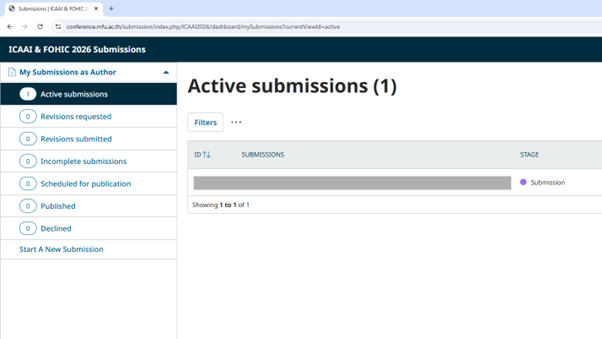
Registration & Submission Workflow
(Abstract/Competition/Proceedings)
Important: The registration system and the submission system are separate platforms.
After completing your registration, you will receive a Submission Account by email. Please use the username and password from that email to log in to the correct submission system.
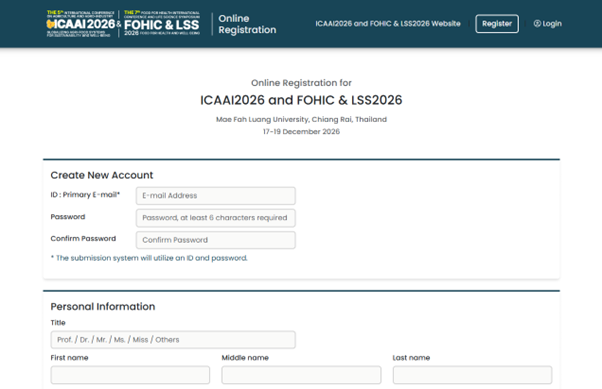
Step 1: Complete Your Registration
Please register through the official registration system:
https://icaai2026.mfu.ac.th/register
Step 2: Check Your Submission Account Email
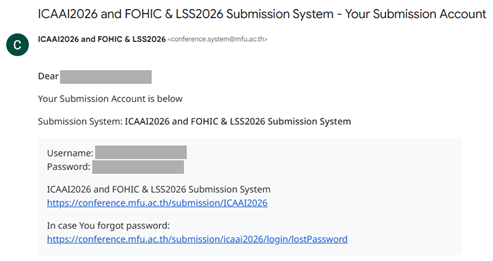
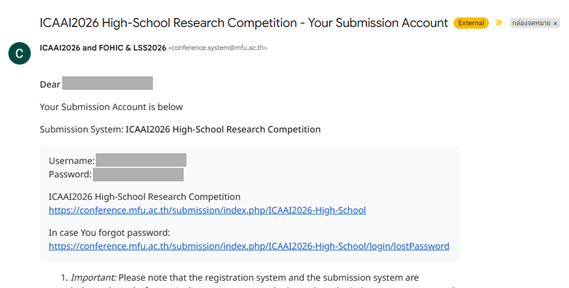
After your registration is completed, please check your email for the message titled:
“ICAAI2026 and FOHIC & LSS2026 - Your Submission Account”, or
“ICAAI2026 High-School Research Competition - Your Submission Account”
This email contains your username and password for the submission system.
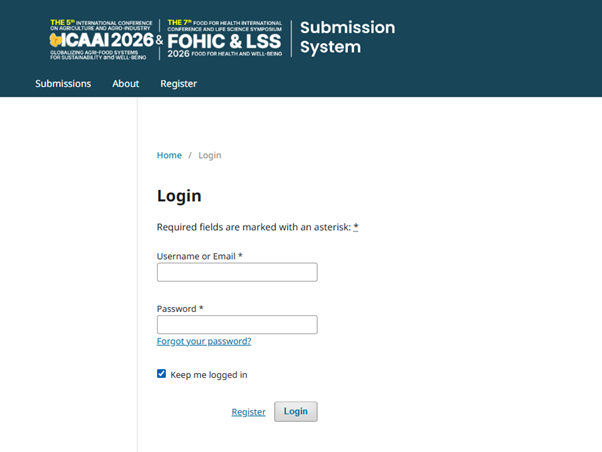
Step 3: Log In with Your Submission Account
Use the username and password from the Submission Account email to log in at the submission system.
ICAAI & FOHIC 2026 Submissions:
https://conference.mfu.ac.th/submission/ICAAI2026
ICAAI2026 High-School Research Competition:
https://conference.mfu.ac.th/submission/ICAAI2026-High-School
Step 4: Start a New Submission
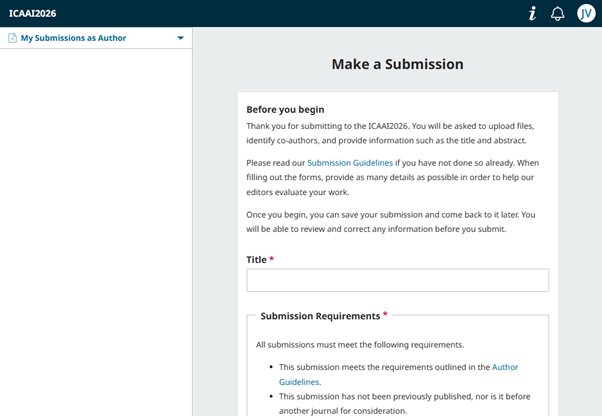
After logging in to the submission system, then go to:
ICAAI & FOHIC 2026 Submissions:
https://conference.mfu.ac.th/submission/ICAAI2026/about/submissions
ICAAI2026 High-School Research Competition:
https://conference.mfu.ac.th/submission/ICAAI2026-High-School/about/submissions
Then follow the steps in the system to submit your title, abstract, author information, and required files.
Step 5: Track Your Submission Status
You can also check your submission result and track your submission status through the submission dashboard:
ICAAI & FOHIC 2026 Submissions: https://conference.mfu.ac.th/submission/ICAAI2026/dashboard
ICAAI2026 High-School Research Competition: https://conference.mfu.ac.th/submission/ICAAI2026-High-School/dashboard